Choose the IPTV Trial
Select the trial option and complete the activation or checkout step shown on the page.


 United KingdomEnglish
 Saudi Arabiaالعربية
 FranceFrançais
 SpainEspañol
 PortugalPortuguês
 GermanyDeutsch
 NetherlandsNederlands
 RussiaРусский
 China中文
 MalaysiaBahasa Melayu
 KenyaKiswahili
 SomaliaSoomaali
 TurkeyTürkçe
 SerbiaСрпски
 CroatiaHrvatski
 AlbaniaShqip
 GuineaFulfulde
 SenegalWolof
 DR CongoLingála
 NigeriaYorùbá
 NigerHausa
 GhanaEʋegbe
 MalawiChichewa
 Nepalनेपाली
 PeruRuna Simi
 CuraçaoPapiamentu
 SamoaGagana Samoa
 DenmarkDansk
 SwedenSvenska
 ItalyItaliano
 South Korea한국어
SpainCatalà
South Korea한국어
SpainCatalà
 GuamChamoru
 IndonesiaBahasa Indonesia
 UzbekistanOʻzbekcha
 Afghanistanپښتو
 GreeceΕλληνικά
 Israelעברית
 AzerbaijanAzərbaycan dili
 RomaniaRomână
 Equatorial GuineaFang
 NorwayNorsk
 South AfricaAfrikaans
 Lebanonالعربية الشامية
GermanyBoarisch
Lebanonالعربية الشامية
GermanyBoarisch
 CzechiaČeština
 Iranفارسی
 FinlandSuomi
 SwitzerlandSchwiizerdütsch
 Indiaहिन्दी
 HungaryMagyar
GuineaMandingo
NorwayNorsk bokmål
GermanyPlattdüütsch
HungaryMagyar
GuineaMandingo
NorwayNorsk bokmål
GermanyPlattdüütsch
 SlovakiaSlovenčina
 Sri Lankaதமிழ்
 UkraineУкраїнська
 Hong Kong粵語
South AfricaisiZulu
Hong Kong粵語
South AfricaisiZulu
 DjiboutiAfar
GhanaTwi
DjiboutiAfar
GhanaTwi
 EthiopiaAmharic
 BoliviaAymara
 Côte d’IvoireBaoulé
 BelarusBelarusian
 ZambiaBemba
 BulgariaBulgarian
 VanuatuBislama
 MaliBambara
 BangladeshBengali
 Bosnia and HerzegovinaBosnian
 MayotteBushi
 BelizeBelize Kriol
 PhilippinesCebuano
 MicronesiaChuukese
 IraqKurdish (Sorani)
 MontenegroMontenegrin
 SeychellesSeychellois Creole
GhanaDagbani
NigerZarma
SeychellesSeychellois Creole
GhanaDagbani
NigerZarma
 MaldivesDhivehi
Côte d’IvoireDyula
MaldivesDhivehi
Côte d’IvoireDyula
 BhutanDzongkha
 EstoniaEstonian
PhilippinesFilipino
EstoniaEstonian
PhilippinesFilipino
 FijiFijian
 Faroe IslandsFaroese
 BeninFon
 Wallis and FutunaFutunan
 IrelandIrish
 GuadeloupeGuadeloupean Creole
 French GuianaFrench Guianese Creole
 KiribatiGilbertese
 ParaguayGuarani
 TaiwanHakka
FijiFiji Hindi
TaiwanHakka
FijiFiji Hindi
 SurinameSarnami Hindustani
 HaitiHaitian Creole
 ArmeniaArmenian
NigeriaIgbo
ArmeniaArmenian
NigeriaIgbo
 IcelandIcelandic
 JapanJapanese
 JamaicaJamaican Patois
IndonesiaJavanese
JamaicaJamaican Patois
IndonesiaJavanese
 GeorgiaGeorgian
 TogoKabiye
 Cabo VerdeKabuverdianu
DR CongoKikongo
Cabo VerdeKabuverdianu
DR CongoKikongo
 NamibiaKwanyama
 KazakhstanKazakh
 GreenlandKalaallisut
 CambodiaKhmer
 LiberiaKpelle
 Sierra LeoneKrio
TurkeyKurdish (Kurmanji)
Sierra LeoneKrio
TurkeyKurdish (Kurmanji)
 KyrgyzstanKyrgyz
 Vatican CityLatin
 LuxembourgLuxembourgish
 UgandaLuganda
 LaosLao
 LithuaniaLithuanian
DR CongoTshiluba
LithuaniaLithuanian
DR CongoTshiluba
 LatviaLatvian
NepalMaithili
Sierra LeoneMende
LatviaLatvian
NepalMaithili
Sierra LeoneMende
 MauritiusMauritian Creole
 MadagascarMalagasy
 Marshall IslandsMarshallese
 North MacedoniaMacedonian
 MongoliaMongolian
 GambiaMandinka
 Burkina FasoMooré
 MaltaMaltese
 MyanmarMyanmar (Burmese)
 NauruNauruan
TaiwanTaiwanese Hokkien
NauruNauruan
TaiwanTaiwanese Hokkien
 ZimbabweNorthern Ndebele
NamibiaNdonga
ZimbabweNorthern Ndebele
NamibiaNdonga
 NiueNiuean
EthiopiaOromo
NiueNiuean
EthiopiaOromo
 PakistanPunjabi (Gurmukhi)
 PalauPalauan
NigeriaNigerian Pidgin
PalauPalauan
NigeriaNigerian Pidgin
 Solomon IslandsPijin
 PolandPolish
MicronesiaPohnpeian
AfghanistanDari
PolandPolish
MicronesiaPohnpeian
AfghanistanDari
 Cook IslandsCook Islands Māori
 RéunionRéunion Creole
 BurundiRundi
 RwandaKinyarwanda
PakistanSindhi
RwandaKinyarwanda
PakistanSindhi
 Central African RepublicSango
Sri LankaSinhala
PakistanSaraiki
Central African RepublicSango
Sri LankaSinhala
PakistanSaraiki
 SloveniaSlovenian
ZimbabweShona
SurinameSranan Tongo
SenegalSerer
SloveniaSlovenian
ZimbabweShona
SurinameSranan Tongo
SenegalSerer
 EswatiniSwati
 LesothoSesotho
IndonesiaSundanese
GuineaSusu
MayotteShimaore
Sierra LeoneTemne
LesothoSesotho
IndonesiaSundanese
GuineaSusu
MayotteShimaore
Sierra LeoneTemne
 Timor-LesteTetum
 TajikistanTajik
 ThailandThai
 EritreaTigrinya
EritreaTigre
EritreaTigrinya
EritreaTigre
 TurkmenistanTurkmen
 TokelauTokelauan
 BotswanaTswana
 TongaTongan
ZambiaTonga
TongaTongan
ZambiaTonga
 Papua New GuineaTok Pisin
BhutanTshangla
Papua New GuineaTok Pisin
BhutanTshangla
 TuvaluTuvaluan
 French PolynesiaTahitian
 AngolaUmbundu
PakistanUrdu
AngolaUmbundu
PakistanUrdu
 VietnamVietnamese
Wallis and FutunaWallisian
South AfricaXhosa
VietnamVietnamese
Wallis and FutunaWallisian
South AfricaXhosa
No languages found

Start the IPTV Free Trial with Kemo SAT to test channels, VOD, sports, EPG, M3U, Xtream Codes and app compatibility before subscribing.
Use the trial to check live TV, sports, IPTV VOD, EPG loading and player compatibility before upgrading.
Check the channels that matter to you first, then compare sport, movies and entertainment on your own connection.
Watch during normal viewing hours so you can judge picture quality, playlist loading and app stability.
Use the IPTV trial to test M3U, Xtream Codes and common IPTV apps before subscribing.
Move from trial access to a paid Kemo SAT plan only when the service suits your devices and viewing habits.

Choose the trial, receive access details, test your IPTV player, then upgrade only if the setup fits your viewing needs.
Select the trial option and complete the activation or checkout step shown on the page.
Use login, M3U or Xtream Codes details in a supported IPTV player on Firestick, Smart TV or mobile.
Check live TV, sports, VOD, EPG loading and app stability, then upgrade if the service fits your needs.
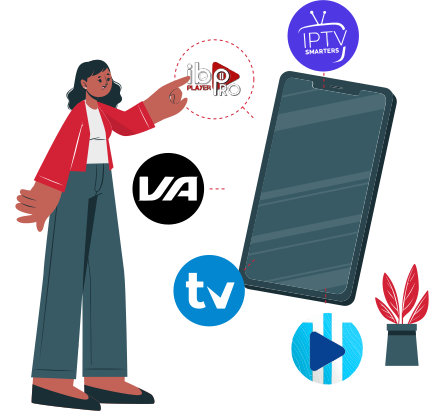
Test with the Kemo SAT app where supported, or use IPTV Smarters Pro, Smart IPTV, TiviMate and another compatible IPTV player. Open the Setup IPTV Guide Installation for setup help.

Start the trial or upgrade through a clear payment flow that shows available methods and terms before access is prepared.
Credit & Debit Cards - Accepted when shown at checkout.
PayPal - Available where supported by the checkout flow.
Crypto Payments - Supported only when listed as an option.
Upgrade Path - Shown clearly before a paid IPTV subscription.
The IPTV Free Trial with Kemo SAT lets you test live TV, VOD, sports, EPG and app compatibility before subscribing. Use it to check your device and player before choosing a paid plan.
Choose the trial option, complete the displayed checkout or activation step, then use the access details in a supported IPTV player. Follow the IPTV Setup Guide if you need help.
Test channel loading, VOD browsing, sports streams, EPG display, player response and device compatibility. Try it during your normal viewing time for the most realistic result.
Yes, the trial can work on Firestick and many Smart TVs when a compatible IPTV app is available. Some Smart TVs may work better with Firestick, Android TV or another streaming device.
M3U IPTV and Xtream Codes can be used when your assigned trial details and selected IPTV player support those formats. Enter the details exactly as provided.
Common options include IPTV Smarters Pro, Smart IPTV, TiviMate and compatible M3U IPTV players. The best app depends on your device, app store access and preferred interface.
The trial should not become a subscription unless the checkout terms shown on the page say otherwise. Review payment and upgrade information before confirming any paid plan.
Yes, you can upgrade after the trial if the channels, VOD, app setup and device performance fit your needs. Compare IPTV plans before choosing.
Check your internet connection, restart the app, confirm the login details and try the setup guide. If the issue continues, contact support for help.
A VPN is optional. It may help with privacy or network routing for some users, but it does not guarantee better streaming or legal compliance in your location.
IPTV technology can be legal, but legality depends on content rights, licensing and local rules. Use legitimate services and follow the laws that apply where you watch.
Yes, support can help with setup, device compatibility, app login and basic troubleshooting. Contact support before upgrading if you need to confirm your device path.
Start the IPTV trial today, test your channels and apps, then upgrade only if the service fits your viewing needs.